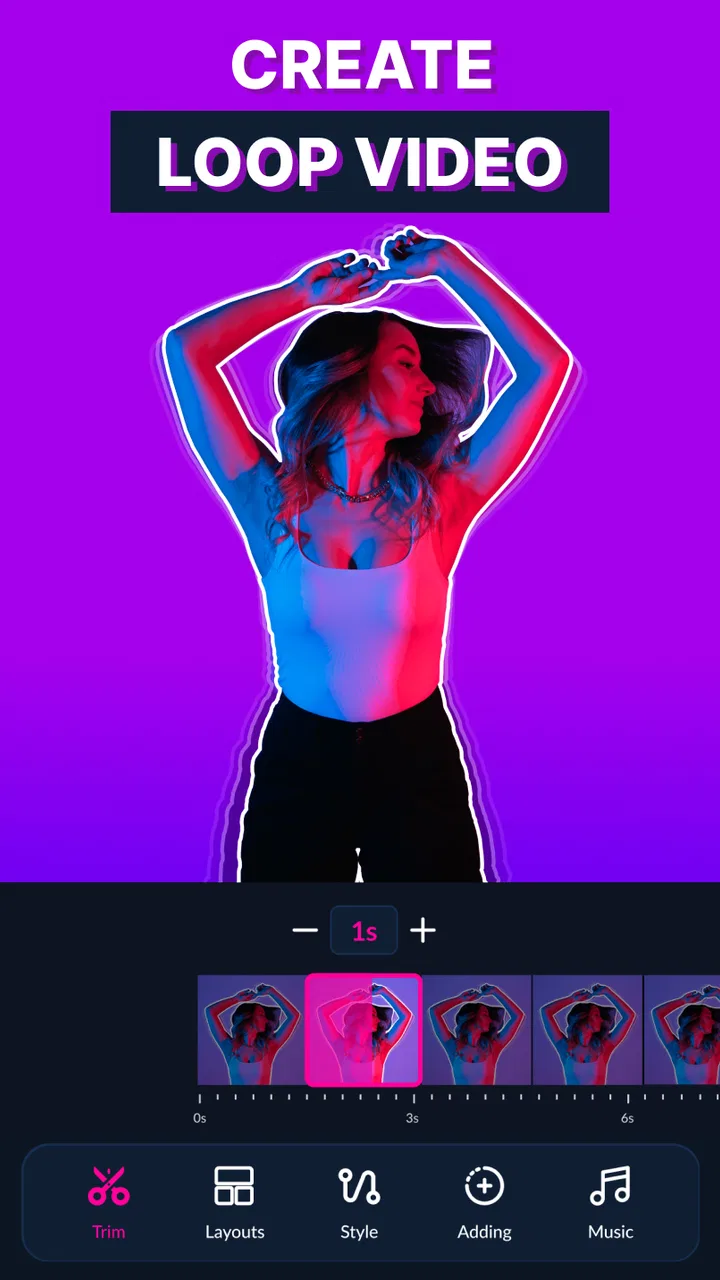
Boom Loop Video Maker Infinity
- 4.4
- Rating
- 1.00M
- Installs
- Free
- Price

 Analysis by App-foxy
I spent time with Boom Loop Video Maker Infinity as a lightweight video-editing app for turning ordinary clips into short looping videos, GIF-style creations, boomerangs, and reversed sequences. Its focus is much narrower than a full mobile editor, and that is exactly why it can feel appealing: instead of making you work through a large timeline, it concentrates on a few playful transformations that are easy to understand.
The app is free to install and belongs to the video players and editors category. It comes from Sarafan Mobile Limited, has an Everyone content rating, and runs on devices using Android 10 or later. The current version is b.0.2.219. On the store, it has a 4.4 average from roughly thirty-two thousand ratings and has passed one million installs, so it is clearly aimed at a broad audience rather than only experienced creators.
What Boom Loop Video Maker Infinity is designed to do
The central idea is simple: take a video and reshape its movement into something more repetitive or visually striking. A short action can become a loop, a clip can be turned into a GIF, a sequence can play forward and backward like a boomerang, and footage can be reversed for a different effect. I found this more useful for quick social posts, messages, and personal experiments than for traditional editing work.
You May Also Like

 Blood Strike: 2.5 Anniversary
Blood Strike’s Loadouts Turn Every Drop Into a Tactical Gamble
A close look at Blood Strike’s custom loadouts: how fast access to signature weapons reshapes its battle royale rhythm, rewards preparation, and narrows the gap between fights.

 Pandora - Music & Podcasts
Pandora’s Music Is Easy to Start, but Harder to Recover
Pandora’s strength is its low-effort path from a seed to a station. Its weak spot is how much confidence it asks you to place in connection, setup, and quiet recovery.

 8 Ball Pool
 Is Built on Rivalries, Rematches, and Routine
A close look at the rivalries, rematches, shared routines, and unanswered safety questions that turn a quick pool match into a persistent mobile community.

 Samsung Music
’s Quiet Strength Is Playing What You Already Own
Its reach comes less from spectacle than from dependable access to a personal library. That simplicity is both the app’s strongest retention engine and its ceiling.

 AccuWeather: Weather Radar
AccuWeather Review: A Quick, Clear Forecast for Everyday Decisions
For everyday plans, the best forecast is the one you can understand quickly. AccuWeather makes rain timing, radar, and local conditions easy to act on, with a few trade-offs.

 Hill Climb Racing
Why Hill Climb Racing Still Turns Crashes Into One More Run
A tiny car, a bumpy hill and one more upgrade: Hill Climb Racing keeps resurfacing because its simple chaos makes every near-miss feel personal.
More From Our News Desk



That distinction matters. This is not the app I would open when I need several video tracks, detailed sound mixing, captions placed at exact timestamps, color correction, or a carefully structured long-form project. Its appeal comes from reducing the distance between choosing a clip and producing a shareable result.
The best source material is usually short and visually clear. A person tossing something, a pet making a small movement, a wave, a spinning object, or a quick change in expression can work well because the repeated motion remains understandable. A long clip with several unrelated actions is less suitable. Looping does not automatically make every moment interesting; the original footage still needs a clear focal point.
I also noticed that the direction of movement changes the personality of the result. A normal loop can feel smooth when the beginning and end are visually similar. A forward-and-back effect is often better when the action has a natural midpoint, such as a jump, gesture, or object moving across the frame. Reversing a clip is more experimental and can be amusing, but it is not always useful for practical sharing.
Free access and the paid boundary
The app is free, which makes it easy to try without committing money first. That is important for this type of tool because the usefulness depends heavily on your own clips and on whether you enjoy the particular loop effects. You can decide whether the workflow fits you before considering any purchase.
There are in-app purchases listed from $5.99 to $29.99 per item. I would treat that range as a reason to inspect the purchase screen carefully before paying, especially if you only need an occasional GIF or boomerang. The free entry point is valuable for casual testing, while the paid side may make more sense for someone who repeatedly creates this style of content and finds the available upgrades worthwhile.
I would not describe the app as automatically good value simply because it is free to download. The real question is how often you will use its focused tools. If you make one playful clip every few months, free access may be all you need. If you regularly prepare short visual posts and prefer a dedicated loop workflow, paying could be easier to justify, but the decision should come from your own usage rather than from the app’s install count or rating.
A practical workflow for everyday clips
My preferred way to use an app like this is to record with the final loop in mind. I leave a little space before and after the main movement instead of cutting immediately at the action. That gives me more flexibility when choosing the start and end points. For a boomerang-style result, I look for a movement that still makes sense when played backward; for a standard loop, I search for matching visual positions at both ends.
A realistic example would be filming a friend raising a coffee cup during a quick morning greeting. A normal loop might look awkward if the cup suddenly jumps back to its starting position. A forward-and-back version can hide that break because the action naturally returns. If the background is uncluttered and the camera stays fairly steady, the result can look intentional rather than like a repeated raw recording.
For a pet, I would choose a single behavior rather than an entire minute of footage. A dog tilting its head or a cat reaching toward a toy gives the app a strong moment to emphasize. A longer recording containing several movements may produce a less focused result, so trimming before applying an effect is one of the most useful habits I developed.
Another helpful approach is to make several variations from the same source clip. One version can use a regular loop, another can use a forward-and-back rhythm, and a third can reverse the action. Comparing them is faster than trying to predict which treatment will work best. This is especially useful when the original movement has an unusual direction or an imperfect ending.
Where it fits beside ordinary mobile editors
Compared with a general-purpose editor, this app feels more direct. A conventional editor gives you broader control, but that flexibility often means searching through menus, placing clips on a timeline, and adjusting several settings before you see a convincing result. Boom Loop Video Maker Infinity is better when the desired outcome is already clear: make this clip repeat, move back and forth, become a GIF, or play in reverse.
On the other hand, a standard editor is the stronger choice when the loop is only one part of a larger project. If you need a title card, multiple clips, narration, music, transitions, and precise trimming in the same file, a dedicated editor will usually save time in the long run. This app’s focused design is a strength for quick transformations but a limitation for layered storytelling.
It also occupies a different space from a camera app that happens to include a boomerang mode. A camera-first tool is convenient when you want to capture and transform immediately. This app is more useful when you already have a clip in your gallery and want to experiment with it afterward. That makes it a practical second step rather than necessarily the only video tool on a phone.
For GIF creation, the focused approach can be less intimidating than opening a full editor. Someone who does not understand timelines or export settings may prefer a small set of recognizable actions. The trade-off is that advanced users may quickly want more control over timing, framing, text, sound, or output choices than this kind of specialized app is intended to provide.
Small decisions that improve the result
The first non-obvious lesson is that the cleanest loop is not always the shortest one. A very brief clip can feel jerky because the eye notices the restart immediately. Including a fraction more movement before the repeat can make the action easier to follow, even if the final file is slightly longer.
The second is to pay attention to camera movement. A handheld clip may look acceptable in its original form but become distracting when repeated several times. I would either choose a steadier section or crop attention toward the moving subject. A loop magnifies inconsistencies because the viewer sees the same shake again and again.
The third is to choose the effect according to the action’s physical logic. Reversal works surprisingly well for simple gestures, splashes, and objects changing direction, but it can look strange when a person speaks or when text appears in the frame. A forward-and-back treatment is generally more forgiving for actions that have a clear beginning and end.
The fourth is to separate the creative decision from the sharing decision. I first judge whether the motion feels good without worrying about where I will post it. Then I inspect the finished result at the size I expect people to see. A detail that looks obvious on a phone while editing may become hard to notice in a small message preview, so choosing a close, uncluttered source clip is often more important than adding another effect.
These habits do not turn the app into a professional editor, but they make its narrow toolset much more effective. The app can create a quick result; the quality still depends on selecting the right moment and matching the effect to the movement.
Limitations I would consider before installing
The main limitation is scope. The app’s purpose is clear, but that also means it may feel repetitive if you are looking for a complete creative workspace. Once you have made several loops and reverse clips, you may want more ways to shape the result. If your projects normally include detailed audio, captions, or several scenes, I would start with a broader editor instead.
There is also a creative limitation in the source material. A loop can expose an awkward cut, a change in lighting, or a subject that does not return naturally to its starting position. The app can transform movement, but it cannot make unrelated footage feel seamless by itself. Users expecting an automatic polished result from any video may be disappointed.
The purchase range is another point to think about. Because the app is free to install but includes items priced between $5.99 and $29.99, I would avoid paying until I had tested the free experience with several different clips. The value depends on whether the paid options solve a problem you actually have. For occasional use, a free workflow may be sufficient; for frequent creation, the convenience may matter more.
Device compatibility is worth checking as well. The app requires Android 10 or newer, so it is not aimed at every older Android phone. On a supported device, the experience should be judged by how quickly it handles your own videos and how comfortable the editing flow feels, rather than by assuming that a high install figure guarantees the same experience for everyone.
Who is most likely to get value from it?
I think the strongest audience is made up of people who want quick, expressive edits without learning a full timeline editor. It suits someone preparing a funny reaction for a group chat, a small loop for a social post, or a GIF from a memorable moment. It is also a reasonable option for families who want to turn short recordings of children, pets, or celebrations into repeatable clips.
It can be useful for creators who already have a main editor but need a fast tool for one specific effect. Instead of opening a large project, they can test a loop or reverse treatment separately and decide whether the result deserves a place in a larger edit. That workflow keeps experimentation quick and avoids cluttering a more complex project.
I would be more cautious recommending it to a professional social media manager, filmmaker, or anyone who needs consistent control across many exports. Those users may benefit more from a full editor with predictable trimming, sound, text, and project-management tools. The specialized focus is convenient, but convenience alone is not enough when precision and repeatability are central requirements.
It is also not the best choice for someone who mainly wants to record new boomerangs directly from the camera and share them immediately. A capture-first app may reduce the number of steps in that situation. Boom Loop Video Maker Infinity makes more sense when the starting point is an existing video or when you want to try multiple transformations on the same footage.
My verdict on the value
After using it as a focused editing tool, I see Boom Loop Video Maker Infinity as a convenient specialist rather than a replacement for every video app. Its free availability lowers the risk of trying it, and the dedicated workflow makes loop, GIF, boomerang, and reverse experiments approachable. The 4.4 average and broad adoption suggest that many users find the concept useful, although my recommendation still depends on whether these are the effects you genuinely need.
My practical advice is to install it when your goal is a fast transformation, not a complete production suite. Start with a short, steady clip containing one obvious movement. Try the ordinary loop first, then compare it with a forward-and-back version before deciding whether reversal improves the moment. If the free experience already covers your occasional needs, there is no reason to purchase simply for the sake of having more options.
For frequent creators, the paid items may be worth considering only after the app becomes part of a regular workflow. I would measure that value by saved time and repeated use, not by the fact that the app is inexpensive to enter. For everyone else, the free starting point is the strongest reason to give it a chance.
My final recommendation is therefore selective but positive: choose Boom Loop Video Maker Infinity if you want a simple way to turn existing clips into playful repeating or reversed videos. Skip it in favor of a broader mobile editor if your projects need detailed control, layered sound, text, or long-form assembly. Used within its limits, it does one job clearly and can make everyday footage feel much more shareable.
FAQs for Boom Loop Video Maker Infinity
01What is Boom Loop Video Maker Infinity?
Boom Loop Video Maker Infinity is a mobile video-editing application designed for creating short, looping videos with music, visual effects, transitions, and animated elements. It is aimed at users who want to produce social-media-ready clips without advanced editing experience. The app typically focuses on quick creation, allowing you to combine photos or video footage, adjust the sequence, add creative effects, and export the finished result from a phone or tablet.
02Is Boom Loop Video Maker Infinity easy to use for beginners?
The app is generally intended to be accessible to beginners, with a straightforward workflow based on selecting media, choosing a template or effect, and previewing the result before saving it. Users who have never edited videos may still need a little time to understand the timeline, loop settings, and export options. More experienced creators may appreciate the speed, although they could find the controls less detailed than those in professional editors.
03Can I add music, effects, and text to my videos?
Boom Loop Video Maker Infinity is designed around creative short-form videos, so users should expect tools for adding music, visual effects, transitions, and text or decorative elements. The exact selection may depend on the installed version, device, and available in-app content. Before publishing a video, check whether a chosen song, sticker, or effect has licensing limitations, especially if the finished video will be used for commercial or promotional purposes.
04Does Boom Loop Video Maker Infinity add a watermark or require payment?
The availability of free and premium features can vary, and some exports may include a watermark unless a paid option is selected. The application may also use advertisements, subscriptions, or one-time purchases to unlock additional templates, effects, export settings, or editing tools. Review the pricing page and export preview carefully before completing a project, because removing branding or accessing the full content library may require payment.
05What should I check before downloading and exporting videos?
Before downloading Boom Loop Video Maker Infinity, verify that your Android or iOS device meets the current compatibility requirements and has enough free storage for imported media and exported projects. You should also review the permissions requested by the app, its privacy policy, and whether an internet connection is needed for templates or effects. After editing, check the video resolution, aspect ratio, file size, watermark, and audio rights before sharing it.
Pros
- Creates seamless looping videos with minimal editing effort.
- Simple interface makes it accessible for beginners.
- Useful for social media posts
- stories
- and short-form content.
- Supports creative effects for making repetitive clips more engaging.
- Quick previews help check the loop before saving or sharing.
Cons
- Advanced editing controls may feel limited for experienced users.
- Export options and video quality may depend on the device.
- Some effects or tools may require in-app purchases.
- Loop transitions can look noticeable with poorly aligned footage.
- Ads may interrupt editing or appear frequently in the free version.

Boom Loop Video Maker Infinity
Gallery